
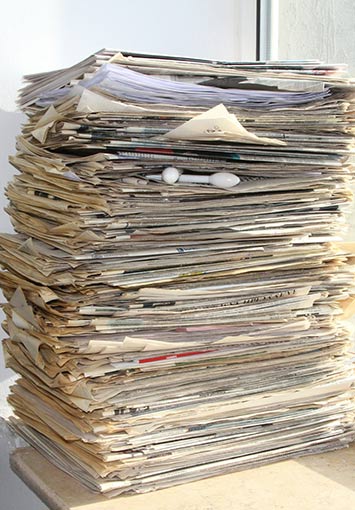
Most businesses operate under the assumption that more data is better. They keep every email, every draft, and every invoice because they worry that one day they might need it for something.
Over time, though, that information starts to work against them. Important records become harder to find among outdated, duplicate, and unnecessary files, while the amount of data the organization has to store, manage, and protect continues to grow. Information that once seemed worth keeping can eventually add more risk than value.
This is where data minimization comes into play. The idea is simple: keep the information you need to run your business and meet your legal requirements, and remove what no longer serves a purpose. This keeps the focus on records that still have value, making information easier to manage and use while reducing the amount of data that needs to be stored, secured, and protected.
What Is Data Minimization?
Data minimization is the practice of limiting the information you collect and store to only what you need to run your business and meet legal requirements.
In a business setting, this means identifying the records you need for your daily work, determining how long you must keep them, and securely destroying them immediately once that time has passed.
Reducing the amount of sensitive information you manage at any given time greatly reduces your liability. By keeping only what is necessary, you limit your exposure and make it easier to secure the records that actually matter.
Why Data Minimization Matters for Businesses
Most business owners keep every document because they worry about the one time they might need it. Over time, that habit leads to larger and harder to manage collections of records that take more effort to maintain and protect.
Reduced Risk and Liability
Every record you store carries responsibility. If a security breach occurs, you are accountable for every piece of sensitive information that was exposed, including records tied to customers you no longer work with or employees who left the company years ago.
Keeping more data than you need increases the amount of information that must be secured. A smaller, more focused set of records lowers that exposure and makes it easier to manage what.
Improved Search and Management
As the number of records grows, finding the right one takes more time and effort. Large collections slow things down and can make audits or legal requests more difficult to handle.
A more refined set of records is easier to navigate and less expensive to manage. When your files are limited to what your business actually uses, information is easier to find and less time is spent digging through documents that no longer have a role.
How to Determine Which Records to Keep
One of the easiest ways to begin reducing your data is to review your records through the ROT framework. This method helps separate the information your business actually relies on from the files that add unnecessary volume and responsibility.
Redundant Records
These are duplicate copies of documents you already have. It is common for a single record to exist in multiple places, such as an email attachment, a local folder, and a shared drive. In most cases, only one official version is needed. Extra copies create confusion and increase the amount of information that needs to be managed and protected.
Obsolete Records
These are documents that no longer serve a business or legal purpose. Every industry has retention requirements that define how long certain records must be kept. Once that time has passed, those files have reached the end of their useful life. Keeping them longer increases the volume of information you are responsible for maintaining.
Trivial Records
Trivial information refers to data that never had long-term value. This can include meeting invites, transmittal slips, or informal notes that do not document a business transaction or legal obligation. Clearing these out on a regular basis helps keep your records focused and prevents less important files from getting in the way of the information you actually use.
Why Data Minimization Matters Before You Scan Documents
Digitizing your records is often seen as a way to solve storage and organization issues, but scanning everything without a plan can carry those same problems into your digital system.
When unnecessary documents are included in a scanning project, the result is a larger, more difficult collection of files to manage. Storage costs increase, search becomes less efficient, and more time is spent working through information that no longer has a role in your business.
Applying data minimization before scanning helps keep your digital system focused and easier to navigate. By narrowing your records down to what your business actually needs, you end up with a collection of files that is more organized, more usable, and easier to protect over time.
With more than 23 years of experience, SecureScan works with businesses to plan scanning projects with that level of focus in mind, including help reviewing records before the process begins. If you’re considering a document scanning project, a quick review of your files can give you a better sense of what it will take to move forward. Contact us today to speak with one of our technicians or get a free quote for your next scanning project.