
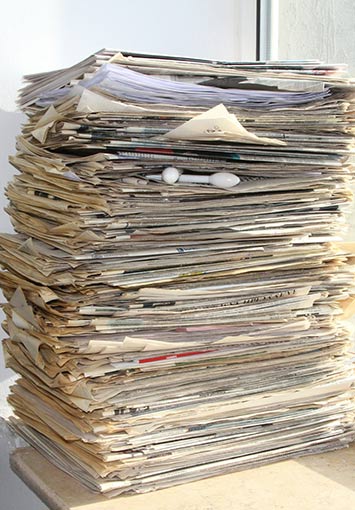
Many businesses slowly accumulate paper records over the years until file rooms, storage closets, and off-site storage units begin filling up. When the time finally comes to digitize these records, the natural instinct is to scan everything without taking the time to review what is actually inside those boxes.
The truth is, digitizing a mess just gives you.. a digital mess.
At SecureScan, we’ve been scanning records for local businesses for more than 23 years. During that time, one pattern has appeared again and again. The most successful scanning projects are not necessarily the biggest ones. They are the most efficient ones.
Holding onto unnecessary records creates several problems for your business.
- Higher Costs: You pay for every extra page that moves through the scanning process.
- Slower Access: Finding a specific file takes longer when you have to sift through more records than you need.
- Greater Exposure: Sensitive information stays “at risk” longer than necessary by sitting in storage past its expiration date.
That is why data minimization plays such an important role when preparing for your scanning project. Data minimization means reviewing information before it is stored or digitized and keeping only the records that hold real operational, legal, or historical value. In fact, our customers typically save around 15% on their scanning projects simply by applying these basic principles before the first sheet ever hits the scanner.
In this short guide, we will show you how to separate your high-value records from the overhead, so you only pay to digitize what actually moves your business forward.
Where the 15% Savings Comes From
When we mention that data minimization can help you save 15% (or more) on your next scanning project, what we are really talking about is eliminating unnecessary costs that can bloat your scanning budget.
- Preparation Labor: A massive part of any scanning project is the manual labor, removing staples, taped notes, and repairing torn sheets. If 15% of your boxes contain expired or redundant files, you’re paying for manual prep on paper that should have been shredded.
- Indexing and Data Entry: The more files you scan, the more data needs to be typed in to name and organize those files. Narrowing your focus to high-value records reduces the time it takes to build your digital library.
- Storage and Search Efficiency: Every unnecessary file is digital noise. By scanning less, you reduce your long-term cloud hosting costs and ensure your search results aren’t cluttered with 10-year-old duplicates.
The ROT Filter: How To Spot Unnecessary Records
Before scanning begins, it helps to review records with a simple framework that makes it easier to identify what actually deserves to be digitized. One approach commonly used in records management is called the ROT filter. The name refers to three types of information that often appear in large archives but rarely provide lasting value. If a document falls into one of these categories, it may not need to be scanned.
R: Redundant
Duplicate copies show up frequently in long-term paper storage. Multiple printed versions of the same report, draft versions that were never used, or backup copies stored in different folders often accumulate over time. In most situations, keeping the final or official version of the document is enough
O: Obsolete
Some records simply outlive their usefulness. Documents that have passed their retention period or no longer serve a business purpose may not need to be preserved. If retention timelines are unclear, it can help to reference some of our other guides like our HR records retention guide, our government records retention guide, or our medical records retention guide.
T: Trivial
These are documents that were never intended to be preserved long term. Examples include outdated meeting notices, duplicate marketing materials, or blank forms that were stored alongside other paperwork.
Reviewing records through the ROT lens helps reduce the amount of material entering the scanning process. The result is a digital archive that contains meaningful records rather than years of unnecessary paperwork, which keeps searches faster and scanning projects more efficient.
Why Holding Onto Records Too Long Is a Risk
While reducing costs is a major benefit, the most important reason to minimize your data is risk reduction. In records management, every document you keep carries responsibility. If your business faces a data breach or a legal audit, you are accountable for every record in your possession, including files that no longer serve any real purpose.
The financial exposure is higher than many businesses expect. Industry research often estimates the average cost of a data breach at roughly $160 per compromised record.
To put that into perspective:
- A single box of paper typically holds about 2,500 sheets.
- If that box contains sensitive information that should have been destroyed years ago, that single box could represent up to $400,000 in potential exposure.
Reducing the amount of information you store helps lower that risk. When outdated records are securely destroyed according to proper retention timelines, they no longer need to be protected, monitored, or accounted for during an incident.
Data minimization helps ensure your digital archive remains a useful tool for your business rather than an unnecessary liability.
SecureScan Pro Scanning Tip: The Audit-Ready Labeling Method
One of the easiest ways to simplify a scanning project is to use a consistent labeling system before the boxes are ever picked up. When boxes are clearly labeled, it becomes much easier to identify which records should be scanned, which should remain in storage, and which may already be eligible for secure destruction.
A simple three-part labeling approach can make a big difference when preparing records for digitization.
Destroy Date
Instead of only listing the contents of a box, include the legal destruction year on the label. For example, DESTROY 2033. This allows boxes that have already passed their retention period to be identified before they move through the scanning process.
Clear Record Categories
Use consistent labels that describe the type of records inside the box. Broad categories such as Terminated HR Files or Active Client Records help identify which materials may require long-term retention. If retention timelines are uncertain, industry-specific retention guides can help determine how long different types of records should be kept.
Scan vs. Store Review
Some boxes contain a mixture of older and newer records. In those situations, the box can be flagged for Level 1 indexing. File headers are scanned first and compiled into a list, allowing businesses to review the contents and select only the files that should move forward for full digitization. This prevents entire boxes from being scanned when only a portion of the records need to be preserved.
Making the Most of Your Digital Transition
Digitizing your records is one of the best ways to create a more organized and efficient office. The goal, however, should not be to move every piece of paper into digital storage. The most successful scanning projects leave a business with records that are easier to manage, easier to search, and easier to maintain over time.
Reviewing your records and removing unnecessary files before scanning helps ensure that outdated material never enters the digital archive in the first place. Using a simple framework like the ROT filter allows you to identify duplicate, expired, or low-value documents before they move through the scanning process. This approach reduces the overall cost of the project, frees up physical storage space, and leaves your team with a collection of records that are easier to navigate.
At SecureScan, our team works with businesses to evaluate their records before the scanning process begins. With more than 23 years of experience, we help identify which records should be digitized, which should remain in storage, and which may be ready for secure destruction, which we can also provide for you if needed.
Contact our team today to learn more about how we can help you take control over your records, or get a free quote from one of our technicians. We can help review your records, identify the files that truly need to be preserved, and uncover opportunities to reduce the size and cost of your scanning project before it even starts!